Read an advisory
The collapsed line
Every advisory shows its number and tags, so you can scan the list without opening anything.
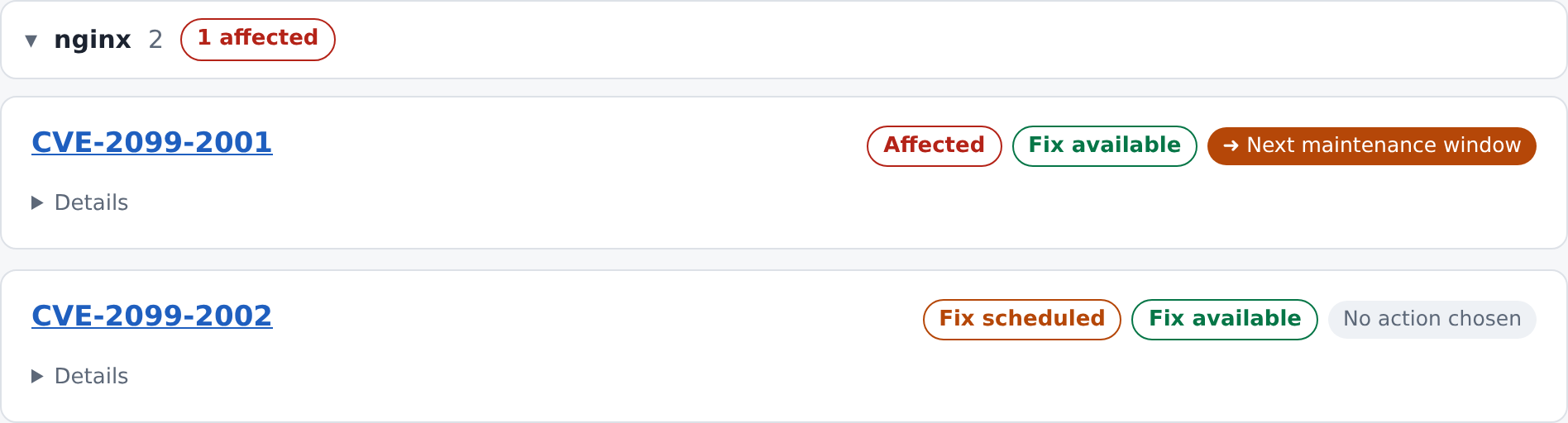
Status
The first tag says where the advisory stands for your systems.
| Tag | Meaning |
|---|---|
| Being assessed | We are checking whether and where it affects you. |
| Affected | At least one of your systems is affected. |
| Fix scheduled | A fix is planned. |
| Fixed | The affected systems have been updated. |
| Not affected | We checked, and it does not apply to your systems. |
| Risk accepted | The risk was accepted and no fix is planned. |
Fix availability
The second tag appears on open advisories. It tells you whether a solution exists.
| Tag | Meaning |
|---|---|
| Fix available | A fix exists, even if it is not installed yet. |
| Workaround only | There is no real fix yet, but a stopgap exists. |
| No fix yet | Nothing has been released yet. |
Other tags
| Tag | Meaning |
|---|---|
| Actively exploited | Attackers are known to use this vulnerability right now. Look at these first. |
| No action chosen | Nobody on your side has chosen a required action yet. |
| Filled colour tag | The action your company chose. See Choose the required action. |
The details
Click Details on an advisory to open it in place.
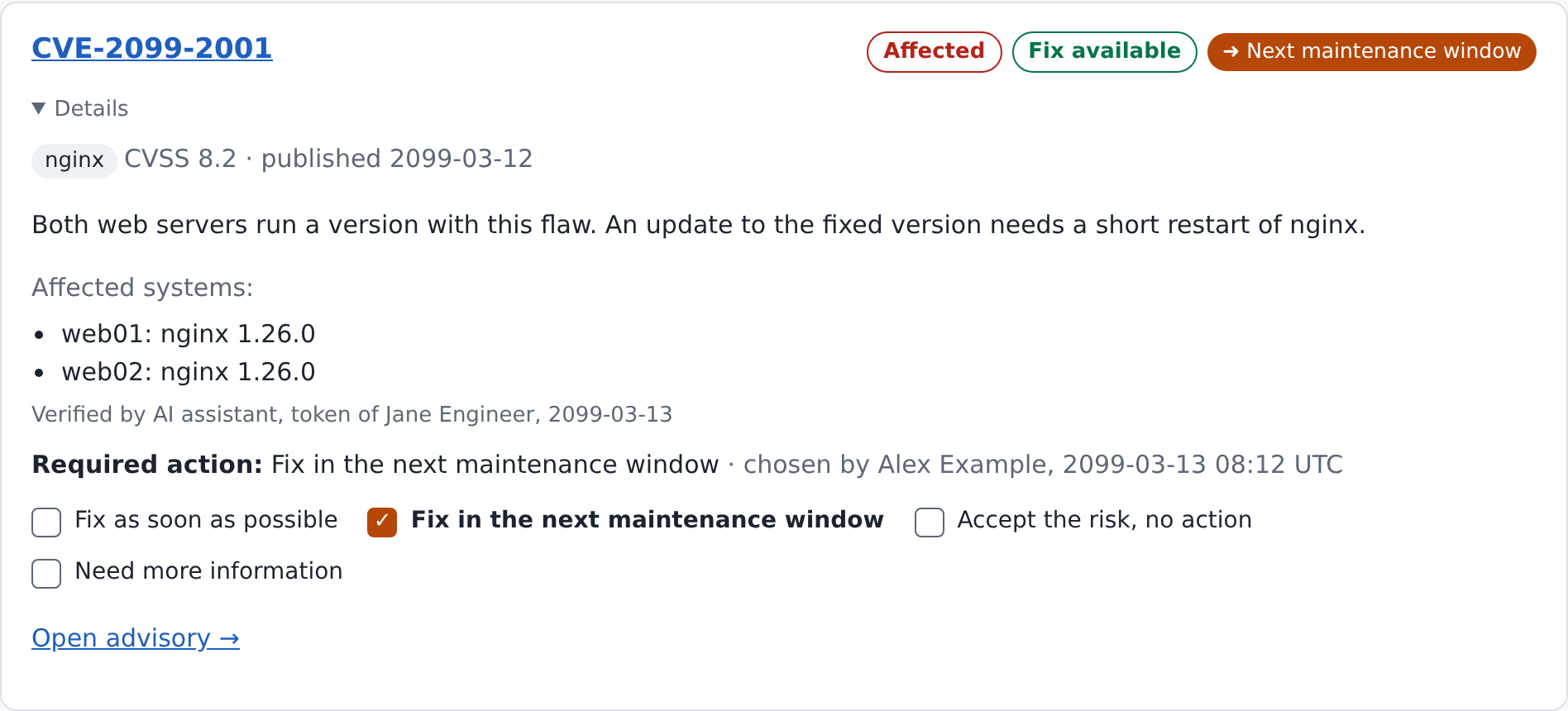
| Part | What it tells you |
|---|---|
| Product and score | The product concerned, its CVSS severity score from 0 to 10, and the publication date. |
| Explanation | In plain words, what we found for your systems. |
| Affected systems | The hosts and versions concerned. |
| Verified by | Who checked this, and when. |
| Required action | What your company chose, who chose it and when. |
Open advisory leads to the full page, with the link to the original advisory and the history of earlier choices.
Who verified it
Every entry names who checked it:
- A name means one of our engineers checked it.
- AI assistant, token of name means an automated check ran under that engineer's responsibility. See How an advisory gets here.