Log in and find your way
Log in
- Open cve.digitalcreek.io.
- You land on the DigitalCreek login page. Sign in with your DigitalCreek login. If you use our Redmine, it is the same login.
- You see the advisories for your company, and only for your company.
You stay logged in for 8 hours.
No access yet?
If the login works but the portal refuses you, your account is not enabled for the portal yet. Ask your DigitalCreek contact to enable it.
The page at a glance
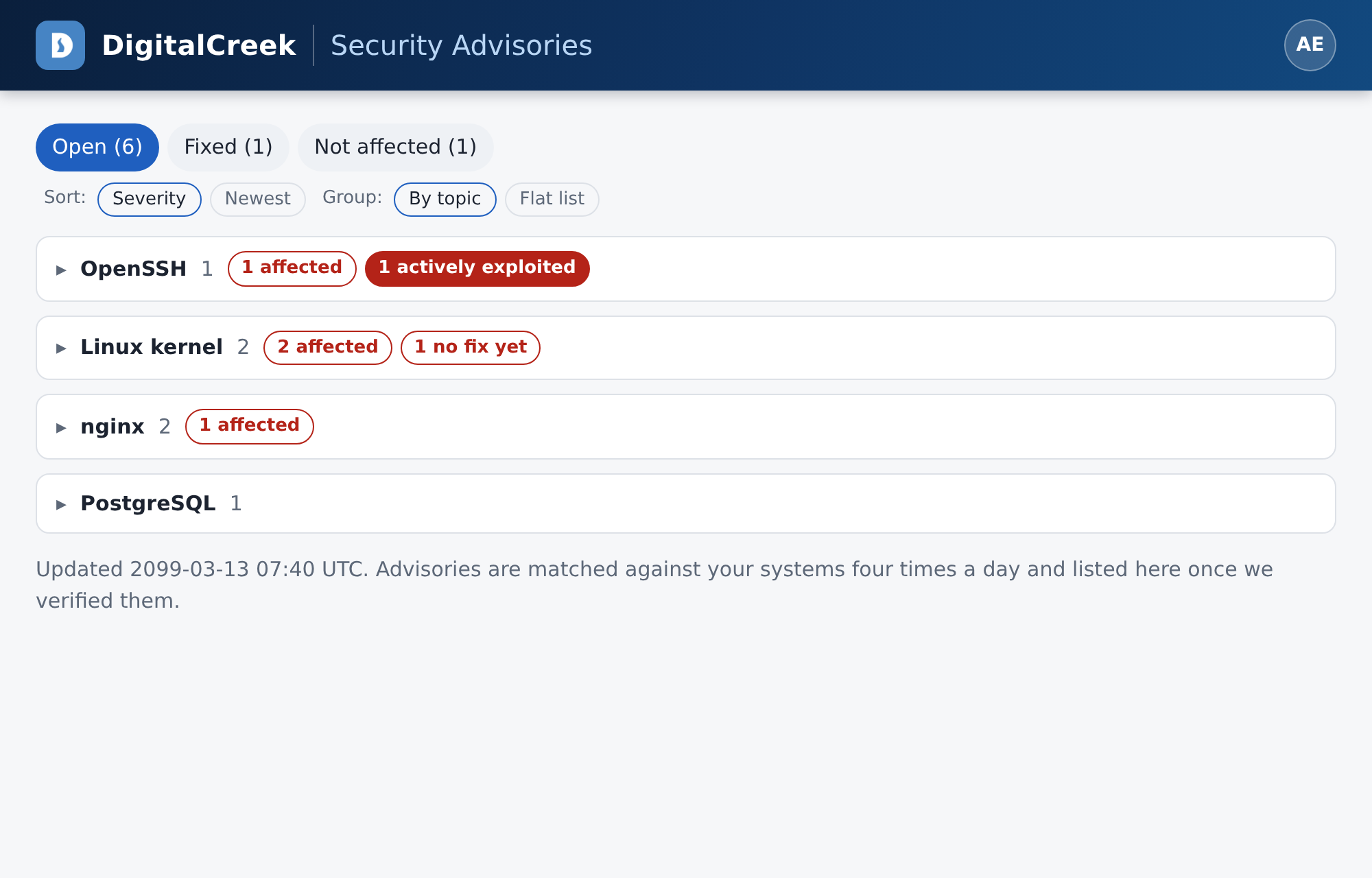
| Area | What it does |
|---|---|
| Tabs | Open needs attention. Fixed is done. Not affected was checked and does not apply, or the risk was accepted. The number shows how many entries each tab holds. |
| Sort | Severity puts the highest score first. Newest puts the latest published first. |
| Group | By topic groups advisories by product, such as Linux kernel or nginx. Flat list shows them one after another. |
| Topics | Collapsed when the page opens. Each line already shows how many entries are affected, have no fix yet, or are actively exploited. Click a line to open it. |
The line at the bottom of the page shows when the list was last updated.
Your account menu
Click the round icon with your initials at the top right.
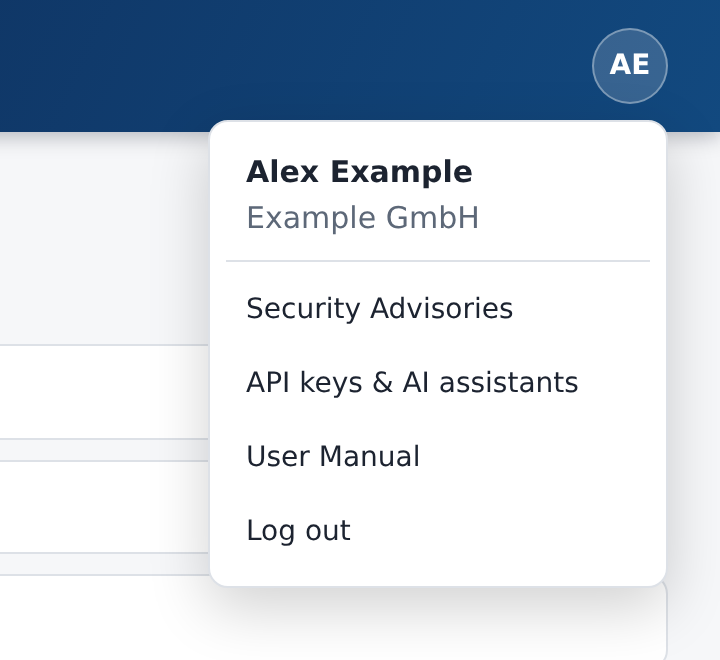
From here you reach this manual, your API keys and AI assistant setup, and you can log out.